Virtual staging photo input checklist
Editorial update:
A photo is ready for a staging brief when you can identify the room, retain a usable original, establish permission for the intended use and describe the fixed features that must remain unchanged. Package that evidence with the requested edits and a named output reviewer. If a critical fact is unknown, hold the input rather than asking an image tool to fill the gap.
This Spaceoverlay editorial checklist evaluates an existing photography package. It is separate from taking the photographs and does not describe an iPhone app photo-import feature. Completing the checklist does not guarantee image fidelity, legal rights or acceptance by a publication channel. The image on this page is entirely fictional and is used only to illustrate the kinds of features a reviewer can identify.
Confirm that the file belongs to the intended room
Match the file to a stable room identifier and the capture record. Check its viewpoint against the room description or a verified plan. Similar windows, finishes or furniture can make two rooms easy to confuse. If the sender cannot identify which room the photograph shows, request clarification before preparing a design brief. Do not use a plausible room label merely to complete the form.
Record whether the image shows the current condition and whether anything relevant changed after capture. A source can be a genuine original yet show an outdated arrangement or finish. Keep that distinction visible: original describes provenance, while current describes the relationship to the room today. An older image may still be useful for a discussion, but its date and limitations must travel with the brief.
Inspect the original rather than a convenient screenshot
Ask for the original available file and retain it unchanged. Open it to check whether corners, wall boundaries, openings and important fixed features are readable at the intended review size. A thumbnail or messaging-app screenshot may omit details or obscure the source. If the only available copy has uncertain edits, note that uncertainty and ask for the earlier file or a new photograph.
Look for edge distortion, ambiguous reflections, cropped openings and obscured surfaces that could mislead a later comparison. There is no universal resolution or lens rule in this checklist; the question is whether this particular view supports the requested task and the destination service’s stated requirements. A visually attractive file is not ready if the reviewer cannot tell where a fixed opening ends or which feature must be preserved.
Use the fictional illustration as a feature-reading exercise
In the illustration below, the front-facing window, right-hand doorway, skirting and floor direction provide visible reference features. A reviewer could name them in a keep-list, while marking the unseen parts of the room as unknown. The picture contains no measured dimensions and does not establish anything about a real property. Do not copy its apparent proportions into a real room brief.
For an actual project, make this same inventory from the original listing photograph and the checked room record. If a doorway is hidden behind furniture, request another view or a measurement instead of assuming it is absent. If an important feature is outside the frame, say so. Input readiness means the limits are understood; it does not require pretending that one photograph describes every surface.
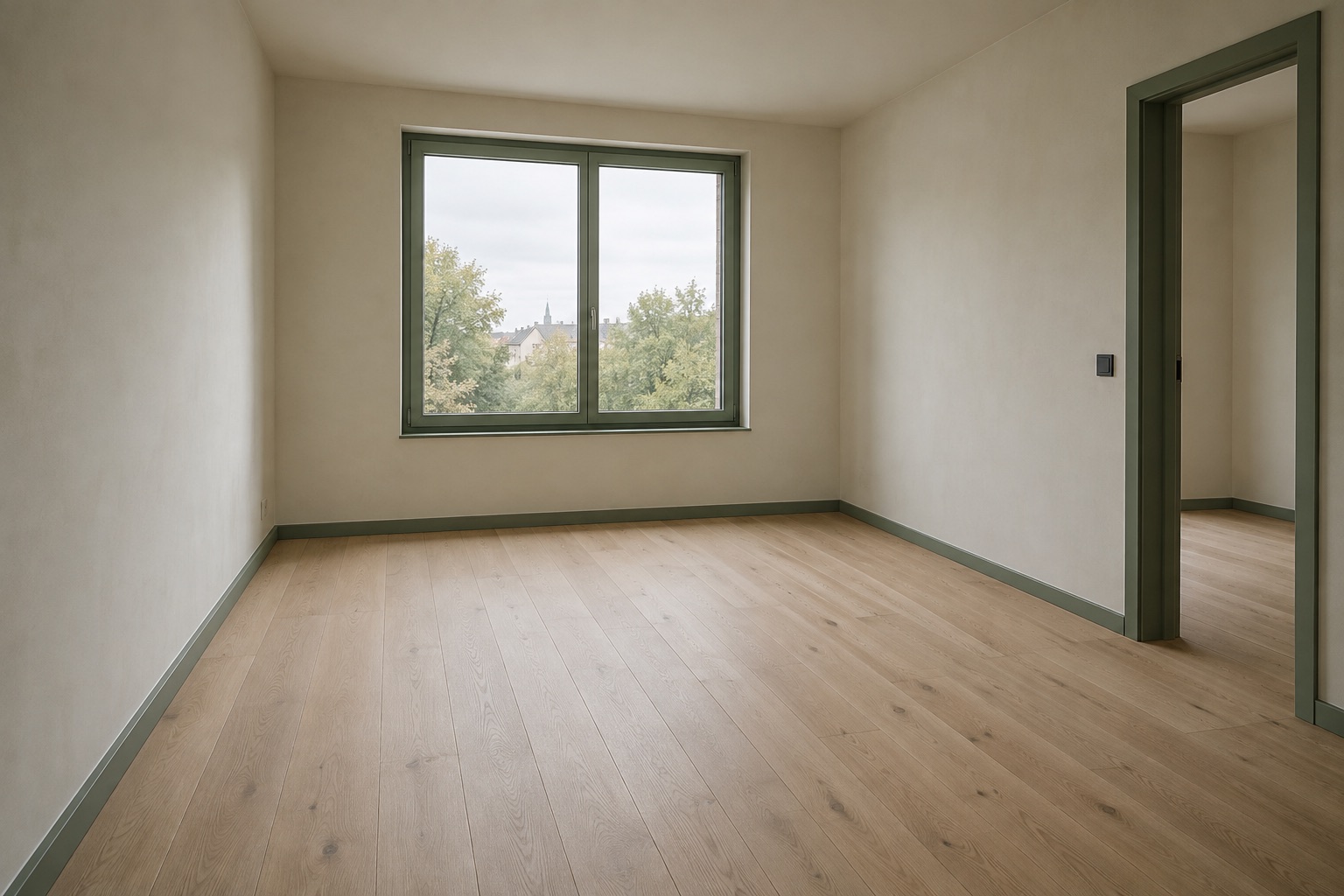 AI-generated illustration
Resolve permission for the actual proposed use
Record who supplied the image and the agreement or other basis for the intended use. In the United States, the Copyright Office explains that the photographer is generally the initial copyright owner, subject to limited exceptions such as qualifying works made for hire. Property ownership and payment for a shoot do not automatically establish that the recipient owns the photo copyright or may use it for every new purpose.
Check whether the permission you have covers the proposed editing, transfer to a service and publication context. Do not treat a familiar filename or prior listing appearance as proof. If the answer is missing or the agreement is unclear, mark permission pending and ask the responsible rights holder or adviser. Jurisdiction and contract matter; the worksheet records the decision and evidence rather than providing legal clearance.
Write a keep-list and a bounded edit request
Name the architecture that must remain: walls, doors, windows, ceiling shape, floor and permanent fixtures relevant to the view. Describe desired movable furnishing or styling changes separately. Do not ask for a defect to disappear or a fixed opening to move in order to make the property more appealing. If the purpose is a hypothetical renovation study, label and review that distinct proposal rather than presenting it as ordinary staging of the existing room.
NVM’s 2026 Dutch guidance says actual dimensions, layout and condition remain leading when AI property imagery is used and emphasizes recognizable presentation of such images. Use that principle to review the request itself before generation: a brief that asks to misstate the room cannot be repaired merely by adding a label afterward. Keep the original available for the eventual comparison.
Blank input handoff manifest
Send one manifest per source view, with a version number for the brief. The receiving person should know which original to use, what may change, what must remain and when to return a question. Keep a reference to the permission record rather than copying unnecessary personal information into the handoff. If a source or instruction changes, issue a new version and identify the superseded one.
| Field | Entry to complete | Hold condition / owner |
|---|---|---|
| Room and original | Room ID; original filename; capture date; photographer/source | Identity or provenance unknown: ask sender |
| Permission | Agreement reference; intended editing, transfer and channel use | Unresolved use: rights review before handoff |
| Fixed features | Visible walls, openings, floor, ceiling and fixtures; unseen areas | Ambiguous architecture: request evidence |
| Allowed edits | Movable items and styling request; explicit keep-list | Request changes condition or architecture: revise brief |
| Handoff version | Source version; brief version; recipient; date | Conflicting versions: resolve first |
| Output and publication review | Reviewer; comparison source; channel; label; rule source/check date | No reviewer or unresolved channel condition: hold publication |
Three practical hold decisions
If the photo is clear but the rights for the intended edit are unknown, hold the handoff for permission review. A technical quality pass cannot settle that question. If permission is established but the source is a tightly cropped view that hides a critical opening, request another view or a narrower brief. Do not ask generation to reconstruct the missing architecture from appearance alone.
If both source and permission are usable but the requested edit removes an important fixed feature, return the brief for correction. Record why it was held and who must respond. These examples are decision patterns, not results from a real customer project. Each hold should lead to a specific piece of evidence or a revised request, rather than an unexplained rejection that the next person might override.
Plan the output review before sending the input
Assign someone to compare the generated output with the retained original and the keep-list. Check openings, wall boundaries, fixed finishes and condition, then assess whether the requested movable arrangement is represented plausibly. A plausible image is still not proof of measured furniture fit. Reject unexplained architectural changes and ask for rework; do not silently replace the original with the output.
For REALTORS®, the NAR 2026 Code addresses truthful advertising and misleading online imagery, including use of content created by others without the required attribution or permission. That professional code is scoped to REALTORS®, not universal law. Record the destination channel, intended disclosure and the date its applicable rules were checked. A source-ready package is not an approval to publish on every platform. Use the linked disclosure guide for editorial label examples, original pairing and a channel-specific rule record.
The photography capture guide covers how to create and preserve the original files. The staging quality guide covers the later image audit. Here, the useful handoff is the bridge between them: a known source, a bounded edit request, permission status and a named review action. Spaceoverlay scans save model images, with a plan available after at least two walls are captured, not room photographs; this independent workflow does not imply that the current iPhone app imports original photographs.
About this workflow.
Is a clear photograph automatically ready for virtual staging?+
No. Confirm room identity, original-file provenance, permission for the intended use and readable fixed features. Any unresolved critical item is a reason to hold the handoff.
Can this checklist guarantee that the generated room stays accurate?+
No. Keep the original and compare the output against its architecture and the edit brief. A ready input does not guarantee faithful output or measured furniture fit.
Does property ownership give me permission to edit every listing photo?+
Not automatically. Check the applicable agreement and rights for the intended use. In the United States, the photographer is generally the initial copyright owner, subject to exceptions.
Does this describe importing photographs into the Spaceoverlay app?+
No. It is an independent photo-preparation workflow. A Spaceoverlay scan saves a model image, with a plan available after at least two walls are captured, not a room photograph, and this guide does not promise in-app photo import.
Sources
- U.S. Copyright Office: photo ownership and work-for-hire limits — checked
- NVM: realistic and recognizable AI property imagery — checked
- NAR: 2026 Code of Ethics for REALTORS® — checked